Your electric bill can feel like a puzzle until you see what your meter is actually doing. In the U.S., the average home uses about 875 kWh per month, which often lands around $100 to $150 depending on local rates. Once you understand how electricity usage is measured, you can spot waste faster and cut costs, often by 10% to 20%.
Electric meters track your electricity in kWh (kilowatt-hours), the unit you see on your bill. If you’ve ever wondered why your usage jumps in summer or drops after a tune-up, the answer is usually sitting right on your meter.
So how does the measurement work, and how can you read it confidently? Ready to demystify your meter?
How Electricity Meters Actually Track Your Home’s Power Consumption
Think of your home’s electricity like water flowing through a pipe. You’re not just paying for the flow, you’re paying for the total amount used over time. That’s exactly what a meter measures.
Most meters boil down electricity to two ideas:
- Voltage (the electrical “push”)
- Current (the electrical “flow”)
Then they combine those signals to figure out how much power you’re using at any moment. Power is measured in watts (W). Next, the meter tracks that power over time. When power stays steady for time, you get energy usage.
Here’s the simple conversion that makes kWh click:
- 1 kWh = 1,000 watts used for 1 hour
So if you ran a 100-watt light bulb for 10 hours, you’d use:
- 100 W x 10 hours = 1,000 watt-hours = 1 kWh
Even though the meter types differ (analog, digital, smart), they all follow this same core job. They measure electricity continuously, then total it for the billing period.
Where is the meter, though? In many homes, you’ll find it outside near the driveway or sidewalk. In some setups, it’s inside a utility area or meter box. If your home uses multiple services, you might see more than one meter or a panel-style layout.
Accuracy matters because it affects fair billing for you and your neighbors. If a meter is off, your bill can be off too. That’s why utilities calibrate and test meters, especially as devices and rates become more complex.
If you want a quick reality check, you can compare your monthly usage to the national average. The average U.S. home using about 875 kWh per month gives you a baseline for what “normal” looks like.
Next, you’ll see how different meter types show that usage in real life.
The Three Main Types of Meters Powering Homes Today
You might have one meter style now, while your neighbor has another. That’s because utilities upgrade over time, and local rules shape what gets installed.
In general, here’s the big picture:
- Analog meters have dials and moving parts.
- Digital meters show numbers on a display.
- Smart meters send usage data to the utility automatically.
Smart meters are now common. Nationally, over 70% of meters were smart by 2023, and by 2026 many states have coverage that’s often over 80% in practice, depending on utility and rollout schedules.

You can think of it like cars and fuel gauges. They all measure “how much,” but they show it differently and deliver the data at different speeds.
Analog Meters: The Reliable Spinning Disk Classics
Analog meters feel old-school because they are. Inside, there’s typically a spinning disk (or rotating mechanism). When your home uses more electricity, the disk spins faster. The meter counts revolutions and converts them into energy totals, usually shown through dials.
Pros:
- Simple design, often durable
- Easy to spot the meter is working (you may see movement)
Cons:
- You usually need to read it manually
- Moving parts can make readings less convenient to verify
- Some setups use dial labels that can confuse first-time readers
Analog meters are still common in older homes and areas that took longer to modernize.
Digital Meters: Precise Electronic Readouts
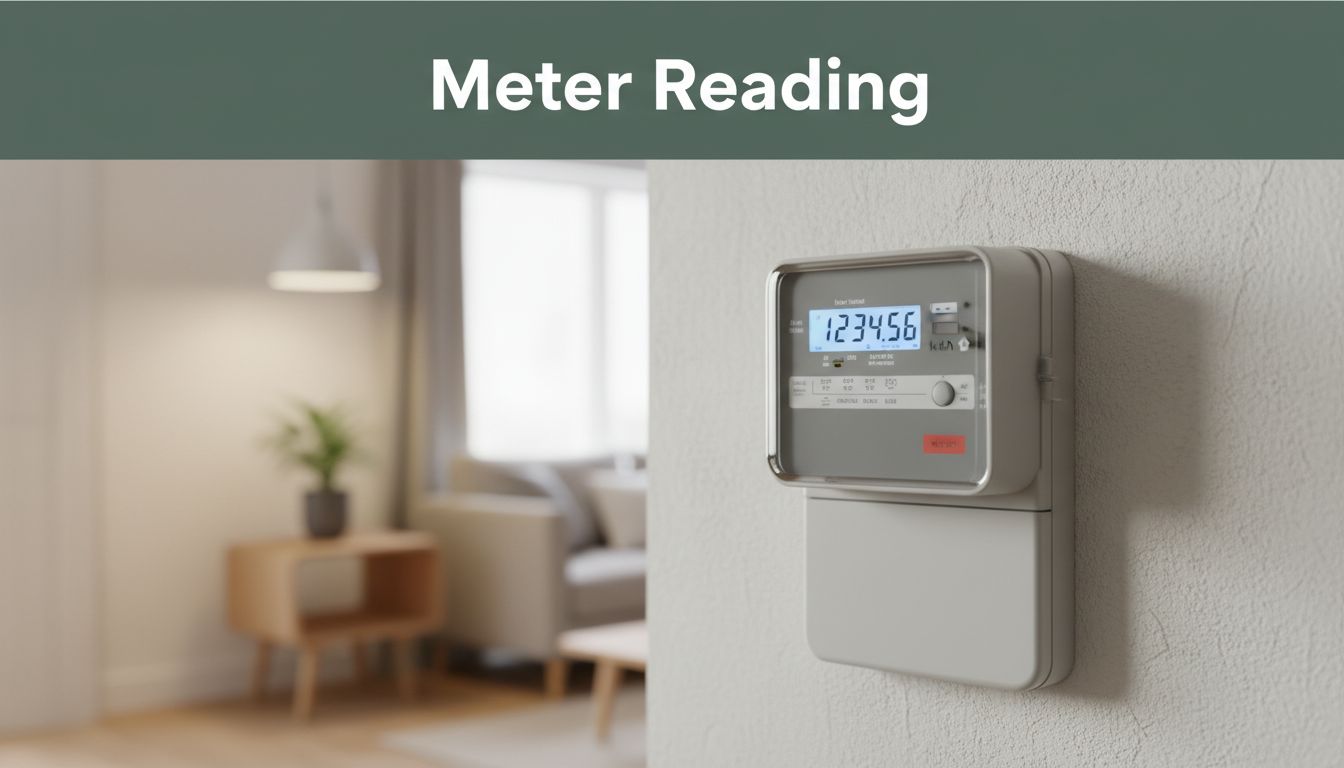
Digital meters replace the spinning action with electronics. Sensors measure the electrical signals, and the meter converts those into a kWh number displayed on an LCD screen.
Pros:
- No moving parts to interpret
- Often more accurate and easier to read
- Usage shows up as clear digits instead of dial positions
Cons:
- You still may need to manually check them
- Some displays show multiple fields, which can make the “main number” less obvious at first
Digital meters are often a stepping stone before smart meters, since the display logic is already electronic.
Smart Meters: Wireless Wonders for Real-Time Insights
Smart meters look like digital meters from the outside, but inside they add communications. They calculate your usage and then transmit data to the utility.
What makes them different is timing. Instead of waiting for a manual read, many smart meters report usage in intervals (often every 15 to 60 minutes, depending on utility settings and tariffs). That helps utilities balance the grid and helps you see patterns.
Smart meters also connect to tools like:
- Utility apps
- Hourly or daily charts
- Alerts that flag odd usage spikes
In practice, smart meters can make it easier to catch waste. For example, you might spot that your air conditioner ramps up more than expected. Or you may discover that your “off” state devices aren’t actually off.
If you want a friendly overview of meter basics, this explanation of how meters work is a good companion: How Utility Energy Meters Work.
Now that you know the types, let’s tackle the part you care about most: reading your meter correctly.
Step-by-Step Guide to Reading Your Home Electricity Meter
You don’t need special tools. You do need patience and one safety rule: don’t open sealed utility equipment or remove any covers.
Start with the basics. Locate your meter, then identify its type. If you’re unsure, look for:
- Dials with rotating hands (analog)
- A digital screen with numbers (digital or smart)
- A meter paired with an outdoor communication setup (often smart)
Then, read it like you’re taking a snapshot of your electricity usage.
If you want a government-backed guide for meter reading habits, the U.S. Department of Energy has a helpful reference here: How to Read Residential Electric and Natural Gas Meters.
Follow these steps once per month. Consistency helps you compare apples to apples.
Step-by-step: what to do each month
- Find your meter and check the display area from a safe distance.
- If a gate or cover is present, keep your distance. Record only what you can see safely.
- Write down the kWh number shown on the meter.
- If it’s analog, ignore any extra markings you don’t understand.
- Take the reading on a date close to your billing period.
- Compare it to last month’s reading.
- Your usage for the month is the difference between the two readings.
For digital and smart meters, it often helps to take a photo, too. Later, you can compare it to your bill.
A meter reading is like a car odometer. The number only tells the story when you compare two points in time.
Next, let’s go deeper into how to read analog and digital meters so you don’t accidentally pick the wrong number.
Mastering the Analog Meter Read
Analog meters usually have multiple dials. Each dial represents a digit. The trick is reading them in the right direction.
Most analog meters follow odometer logic: you read left to right. The needle or pointer usually points between two numbers. When it sits between digits, you record the lower one.
Example:
- If one dial pointer is between 3 and 4, record 3.
Also, some analog meters have a dial labeled 0 or 9, where the “lower number” rule can be confusing at the wrap point. If you see that kind of dial, it’s worth slowing down.
One more warning: many analog meters have red dials or extra sections. In many billing setups, those can represent parts of usage you don’t track directly for your bill total. If you’re unsure, stick to the main black digits that line up with the main kWh total.
For an additional consumer-friendly walkthrough, this guide breaks down reading basics for meters at home: How to Read Your Electric Meter.
Easy Digital and Smart Meter Reads
Digital meters make the process simpler. Usually, you just:
- Find the display
- Copy the kWh total number
Sometimes the screen rotates through fields. If you see a few options, look for the one that represents total energy used in kWh, not time-of-use rates or other system messages.
For smart meters, your life gets easier because you may not need to read the meter at all. Your utility app or online portal can show:
- Daily usage charts
- Peak times
- Monthly totals
Even so, it’s still smart to verify once in a while. If your app shows a number, compare it to what the meter display reports during the same window.
Now that you know how to read the meter, the next question is the one behind every bill: what exactly does kWh mean?
Decoding kWh: The Unit That Drives Your Electric Bill
kWh stands for kilowatt-hour. It’s the standard unit for electrical energy. Your meter measures how much energy you use, not just how strong your electricity is.
To translate kWh into real life, here are easy mental anchors:
- A typical fridge might use around 1.5 kWh per day
- Whole-home monthly usage often lands between 300 and 1,000 kWh, based on home size and climate
Then your bill math is usually:
- Total cost = kWh used x your rate per kWh Rates vary by utility, time of year, and rate plan.
Here’s a quick example:
- If you used 875 kWh in a month
- And your all-in rate was about 17 cents per kWh
- Your energy portion could be around 875 x $0.17 = $148.75
That’s why the “average” bill often falls near $100 to $150.
kWh is smaller than other energy units used in bigger contexts:
- Watt (W) = power at a moment
- Kilowatt (kW) = 1,000 watts
- Watt-hour (Wh) = power over time
- Kilowatt-hour (kWh) = the meter’s typical unit
- Megawatt-hour (MWh) = 1,000 kWh (often used for larger grid planning)
If you want a plain-language explanation of what kWh means on bills, this breakdown helps: Kilowatt-Hours (kWh): Energy Usage Explained.
You can also use kWh for smarter choices. For example, heating and cooling can dominate many homes. In many U.S. households, HVAC and the water heater take a big share during the months they work hardest.
So instead of guessing, track your usage patterns:
- Look for seasonal spikes.
- Note what changed (thermostat settings, vacations, guests).
- Then act on the highest-usage months first.
When you start doing that, monitoring tools can help even more. That brings us to what’s new in 2026.
2026 Innovations: Next-Level Ways to Monitor Home Energy Use
Meters still matter, but modern monitoring makes the data easier to act on. In 2026, more homes use apps, plug-in monitors, and solar-aware settings.
Also, utilities keep improving how they present usage. Instead of only showing a monthly total, many apps show:
- Hourly charts
- Weather-related patterns
- Suggested ways to save based on your schedule
If you want to connect meter reading with real savings, the biggest win tends to be simple: identifying waste. Many households aim for 10% to 20% savings by changing habits and targeting high-use hours.
Clip-On Monitors That Reveal Hidden Energy Hogs
Clip-on monitors attach to your electrical panel and measure how much current flows through certain circuits. Then they report that data in an app.
These tools can help you spot:
- A circuit that runs all day
- A dryer or oven pattern you didn’t realize
- Possible electrical issues based on unusual patterns
Some models also flag “leaks,” like when a system draws power even though everything seems off. That can point to devices in standby mode or a stuck relay.
The result is less guessing. Instead of “Maybe the fridge is old,” you can see when and how it runs.
Smart Apps and Solar Pairings for Smarter Homes
Smart meter apps now often include more than graphs. Many include:
- Cost estimates based on your current rate
- Time-of-use guidance
- Notifications when usage peaks
If you have solar, monitoring gets even more interesting. Smart setups can track:
- When your home produces power
- When you’re using power from the grid
- Whether you’re exporting electricity (and how that affects your bill)
Some apps also integrate with home batteries and EV charging. That matters because charging can happen at the worst time, price-wise, unless you plan it.
To understand how smart systems and kWh show up in daily life, it helps to see a practical kWh explanation like this: Understanding Utility Bills: What Is a Kilowatt Hour of Electricity?.
In short, 2026 monitoring tools take what your meter measures and turn it into decisions you can make.
Conclusion
Electric meters measure your home’s electricity use in kWh by tracking power over time, based on voltage and current. You can see that data through analog dials, digital readouts, or smart meter apps.
Once you know your meter type and read the kWh number correctly, the next step is simple. Compare monthly readings, connect them to your bill, and spot patterns.
That’s how the mystery turns into control. If you saw the hook in your first line, try this next: check your meter this week and note the kWh reading. Small knowledge, big savings on your power bill.